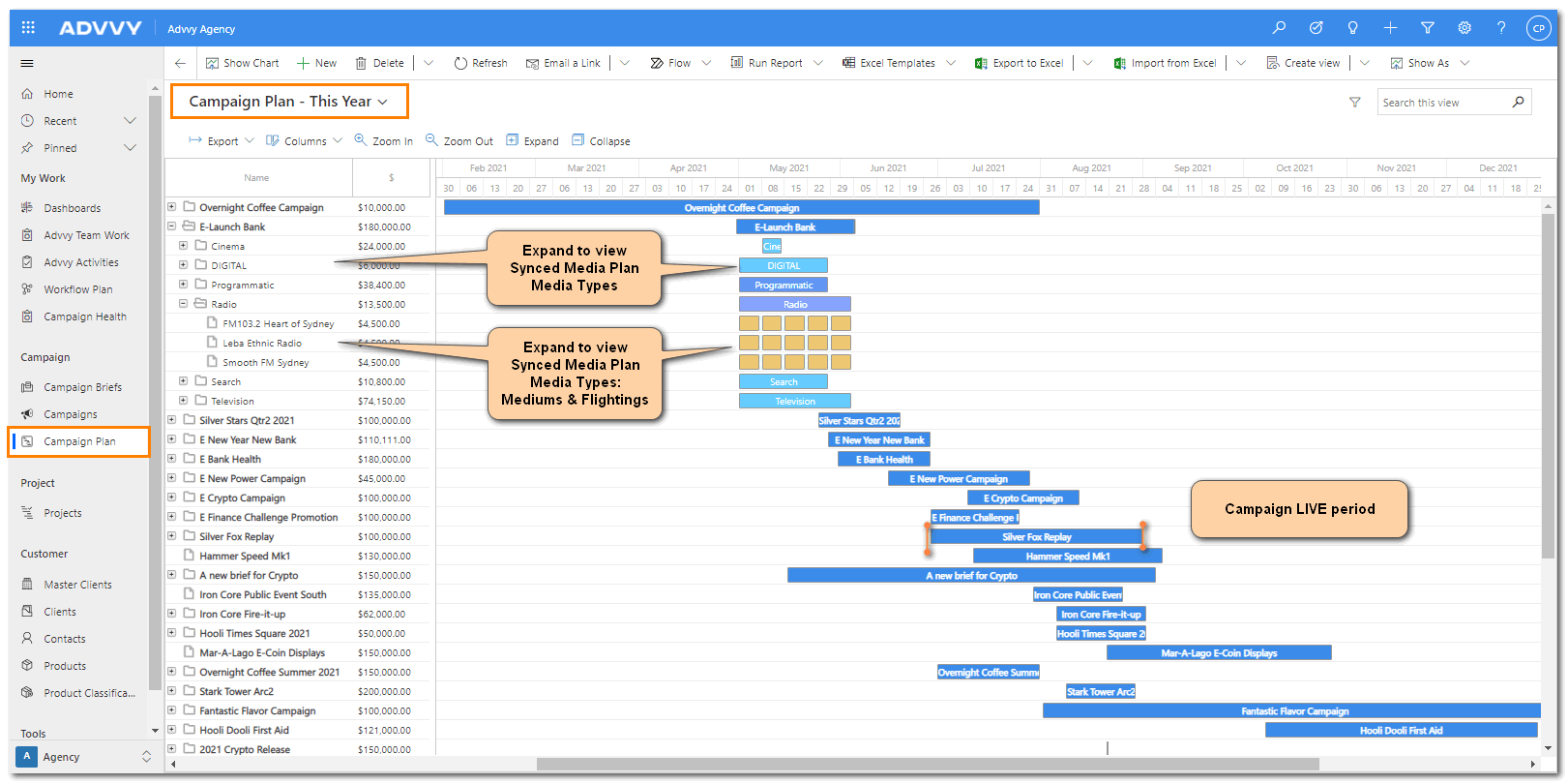
The campaign plan section of Advvy, displays all campaigns that the user has access to in a Gantt chart format. Campaigns can be expanded to show the different media types attached to that campaign and can be further expanded to show the mediums and quantities belonging to each flight.
The campaign plan section offers a variety of different ways users can view their campaigns. The Gantt chart can be manipulated to view data in Day, Week, Month, or Year views.
In addition, to the flighting record in the Gantt chart view, a summary of different media types and their total budgets can be viewed in the campaign plan section. This provides users with a full view of media information related to each of their campaigns.
Information in the campaign plan section can be exported to either a PDF or PNG file, giving users the ability to quickly export information and attach it to a presentation or report for their clients. There is a number of flighting filters that the users can take advantage of to view their flighting information in different ways.
This includes different types of flightings, media types, markets, and networks. Similar to other sections in Advvy, the campaign plan section can have its columns edited via the edit columns button, so users can create a unique view. Similarly, the edit filters view can be utilized to create custom filters to view media plan data in different ways. However, this is an advanced feature that should only be used by users familiar with Advvy’s filtering functionalities.
The campaign plan section is an extremely useful area for media planners or anyone who wants a
high-level view of their campaigns, media types, and flighting for reporting purposes.