This is the new guide for creating a Workflow for a Campaign or Project directly from the Workflow UI.
- It is now possible to use the Workflow control to create and manage Workflows.
- Create a New Workflow
- To create a new Workflow from the control, when initially creating a new campaign or project leave the Workflow Template section BLANK. Do not select “New Workflow Template”. Create the Campaign with all the other required fields and go to the next step.
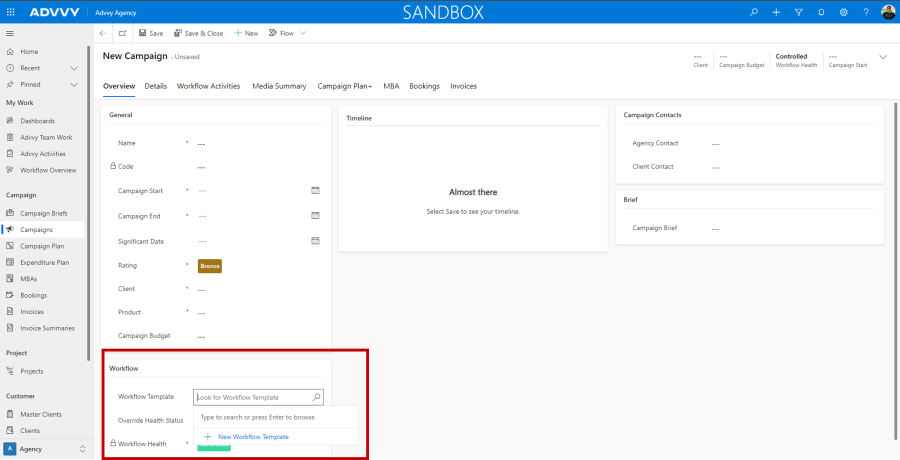
- By Leaving the Workflow Template selector BLANK, after you create the campaign, the Workflow Activities tab will be empty.
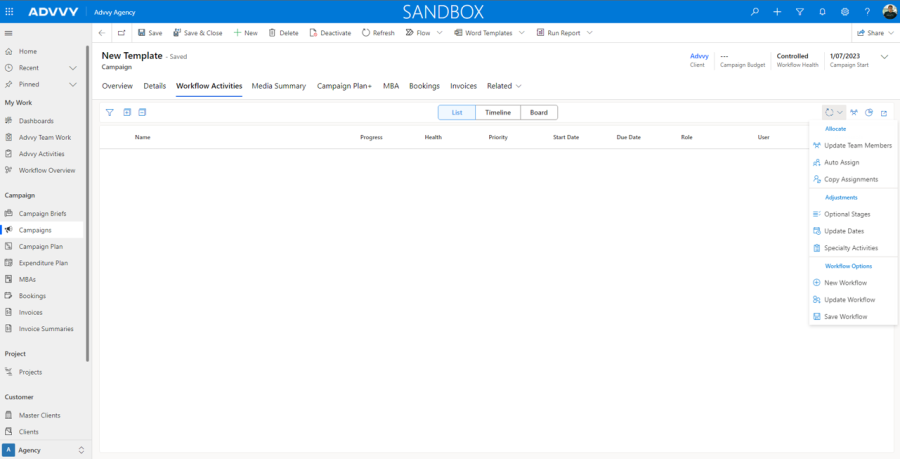
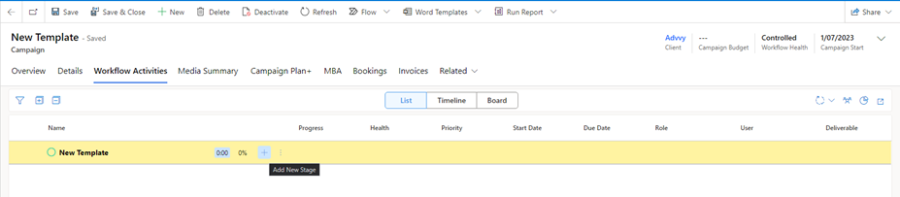
- From the Workflow Options button, Select “New Workflow” and an empty workflow will be created from which you can then Create Stages and Activities and the Save that as a Workflow.
- After creating a new Workflow with Stages and Activities you can then save this as a new template from the Workflow Options menu by selecting the Save Workflow Please note a template must contain at least one stage and activity.
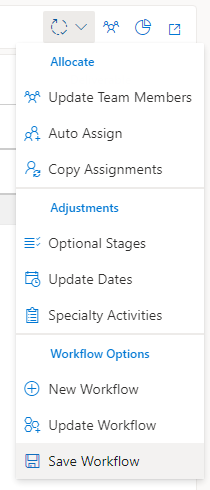
- This Workflow will now be saved as a Workflow Template to be used on other Campaigns and Projects.
- To create a new Workflow from the control, when initially creating a new campaign or project leave the Workflow Template section BLANK. Do not select “New Workflow Template”. Create the Campaign with all the other required fields and go to the next step.
- Managing Workflow (Edit, Update)
- Edit (and Save As) a Workflow
- To Edit a Workflow, make changes to the Workflow, and then press Save Workflow. This can Save your workflow as a new workflow or overwrite the existing workflow
- Update a Workflow
- If you want to change the Workflow for the entire Campaign or Project to an existing Saved Workflow, then select Update Workflow.
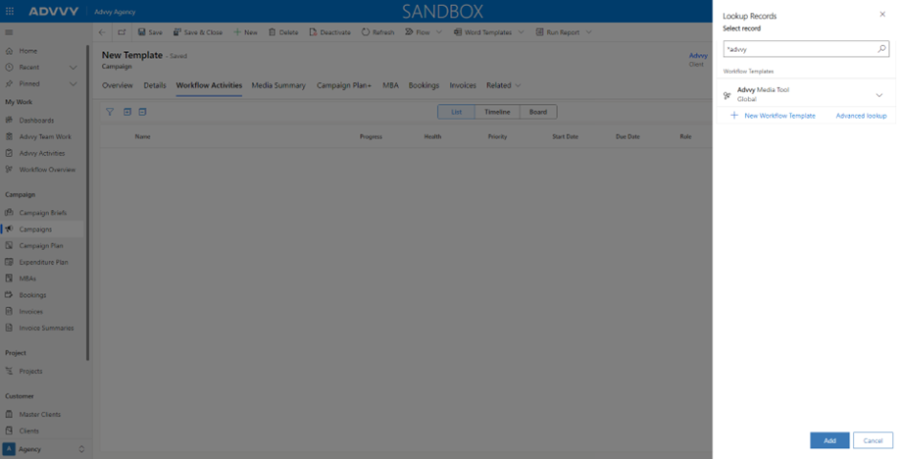
- Once a template has been selected and added you will be prompted to reload your record and the new workflow will load and create each stage.
- If you want to change the Workflow for the entire Campaign or Project to an existing Saved Workflow, then select Update Workflow.
- Edit (and Save As) a Workflow