Users can copy any subtask or standard activity in Advvy.
Copying an activity or sub-task will create a brand new version of that activity or subtask, this means that when you copy an activity or subtask, all of the editing the user has done to the original activity does not carry over to the copy. This is important to remember when copying activities or subtasks.
To copy an activity or subtask in Advvy, follow these steps:
- Navigate to the Campaign or Project you want to edit.
- Select the Workflow Activities tab
- Double click on any standard activity or subtask to view the details of the Task.(Complex tasks cannot be copied)
- In the ribbon bar,(or select the three dots …) click [Copy Activity] to copy. (You will be prompted with a message that says ‘’the details of this activity will be copied to create a new activity.’’)
- Select Copy to copy the activity.

- The new activity will have a (copy) at the end of its title. This can be edited to any title the user would like, Save & Close the new task details.
- Refresh the workflow view to show the task.
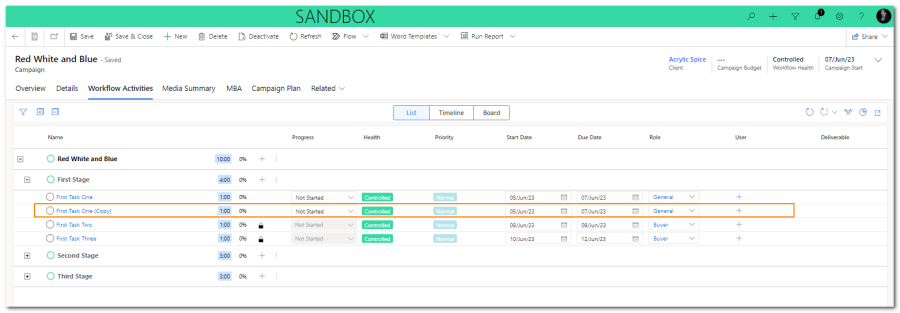
Copied activities behave the same way as any other standard activity or subtask in Advvy. All the functionalities are the same.
Note: We recommend users copy activities whenever they need to repeat an existing activity and they want to keep a record of it. It’s especially useful when reporting on the amount of effort/repeated work in a campaign.