Why should I personalise Advvy?
Great question and the answer is simple: “To ensure all of the dates, times, currencies and views match where you are in the world”
Also, for Media planning in Australia, setting the date formats will ensure your campaign start and end dates don’t flip over to US-Date format [Month/Day/Year]…. leaving the settings as default may read this start date 3/4/2023 as MAR-04-2023 instead of 03-APR-2023.
Set Personalisation Settings for Australian Users
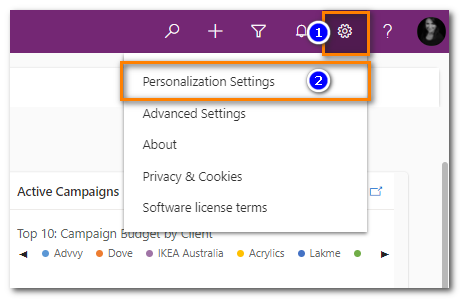
- On the Nagivation Bar select the Settings COG icon
- Select ‘Personalization Settings‘ – the Set personal Options page will pop-up
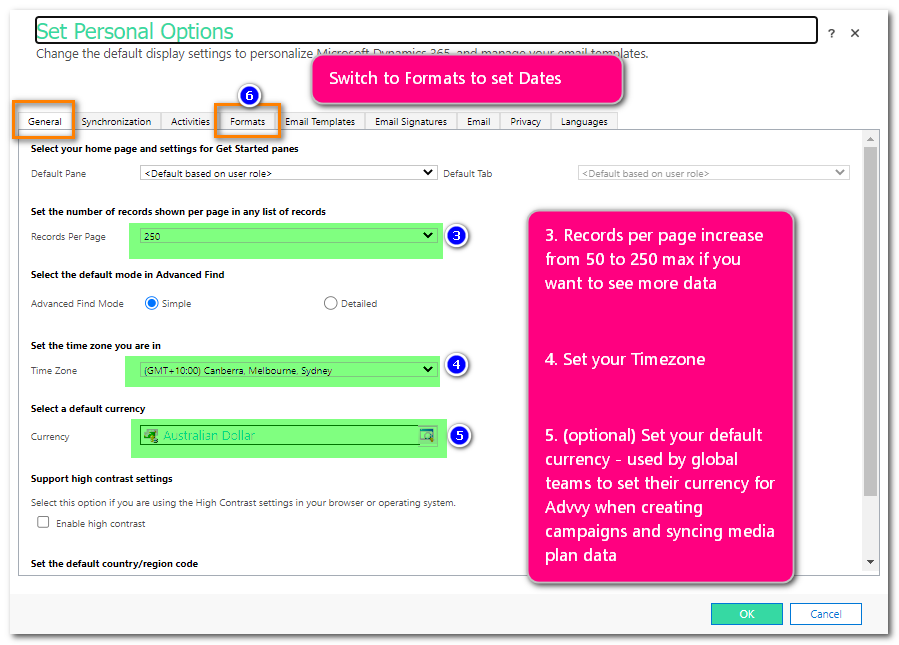
- On the GENERAL tab set the Records per Page to 250 (recommended to view more data per page)
- Set your Timezone
- Set your currency (optional). There is a default currency already set for the entire environment when it was created.
- Select the FORMATS menu
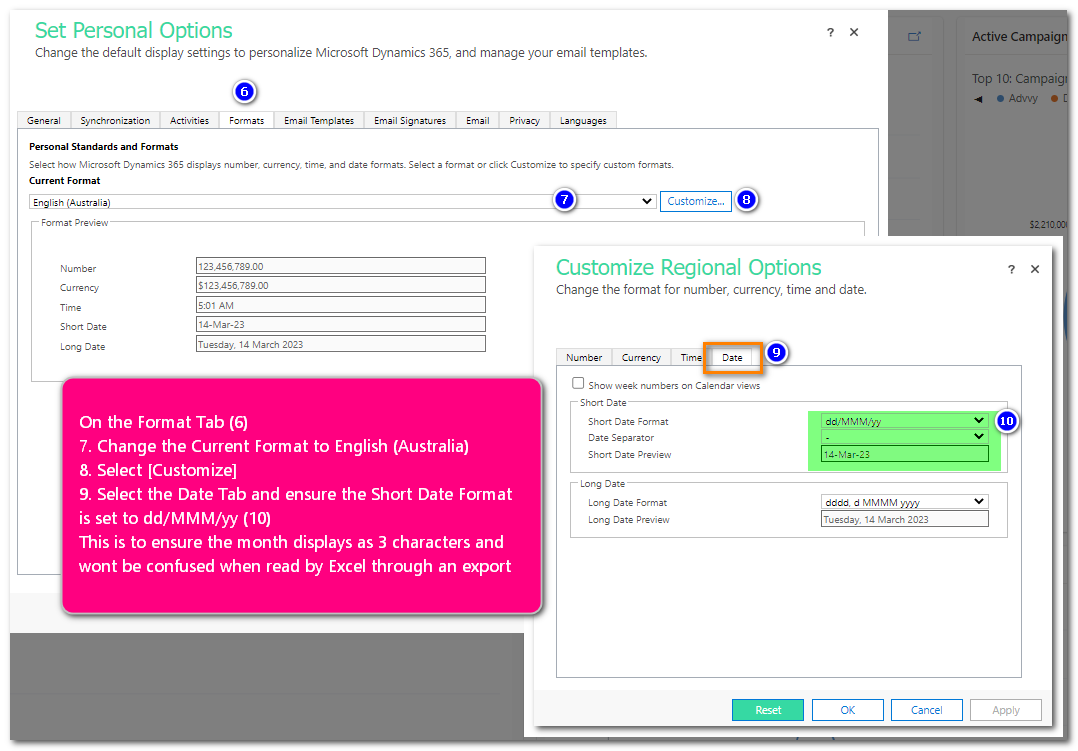
- Set the Current format to English (Australia)
- Select [Customize] to open the Regional Formats page
- Select the DATE tab
- Change the Short Date Format to dd/MMM/yy and click [APPLY] – check the short format displays as 14/MAR/23
THIS date format is essential to ensuring the media plan dates will be read correctly from Advvy campaigns to Excel media plans
Click [OK] to save and close all settings.